
Golf Handicap & Slope
A free, easy WordPress plugin that calculates course handicap from Slope Rating, Course Rating and Par — now available on WordPress.org.
Get it on WordPress.org See featuresFeatures
Handicap Tables
Displays complete tables with the course handicap for every handicap index, for each tee.
Simple Administration Interface
Add, edit, and organize tees with a user-friendly administration interface.
Customizable Design
Customize colors and appearance to match your WordPress site.
Responsive Design
Works perfectly on all devices, from desktop to mobile.
Translation Ready
Fully translatable, and shipped with a Norwegian translation out of the box.
How to Get Started
1Installation
The easiest way is to install it straight from the WordPress plugin directory:
- Go to the WordPress dashboard
- Select "Plugins" > "Add New"
- Search for Golf Handicap & Slope
- Click "Install Now" and then "Activate"
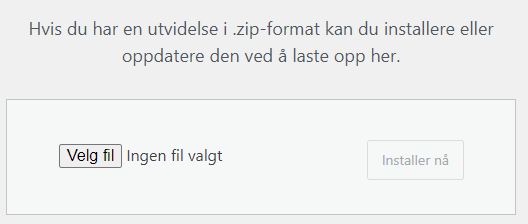
You can also download it from WordPress.org and upload the zip under "Plugins" > "Add New" > "Upload Plugin".
2Add Tees
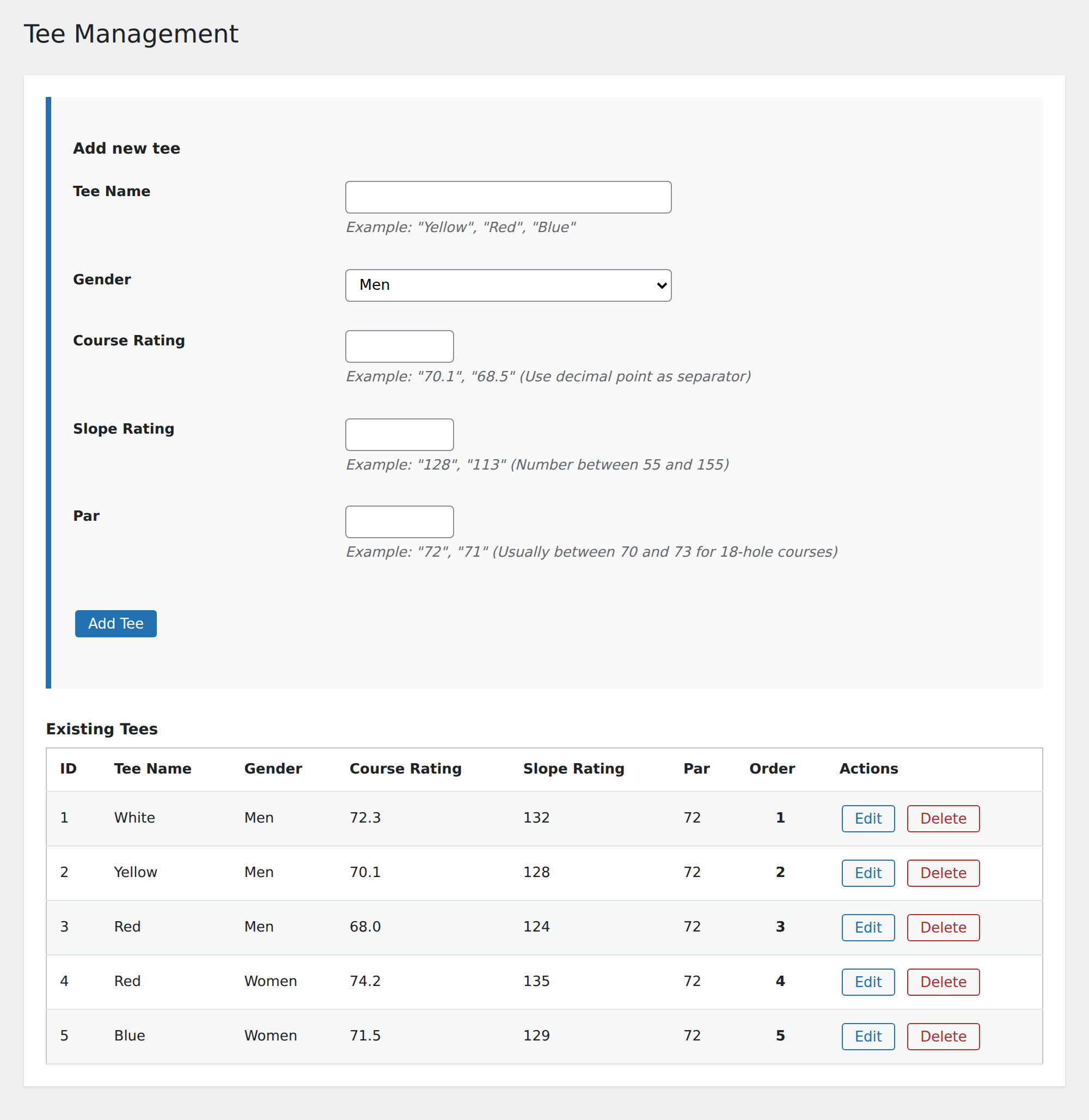
Configure the tees for your golf course with Slope Rating, Course Rating, and Par.
- Go to "Golf Handicap & Slope" > "Tee Management" in the WordPress dashboard
- Click on "Add new tee"
- Fill in tee name, gender, Slope Rating, Course Rating, and Par
- Click on "Save"
3Manage Tees
Edit, delete, or change the order of tees as needed.
- Go to "Golf Handicap & Slope" > "Tee Management"
- Use the buttons to edit, delete, or reorder tees
- You can also drag and drop tees to change the order
4Customize Appearance
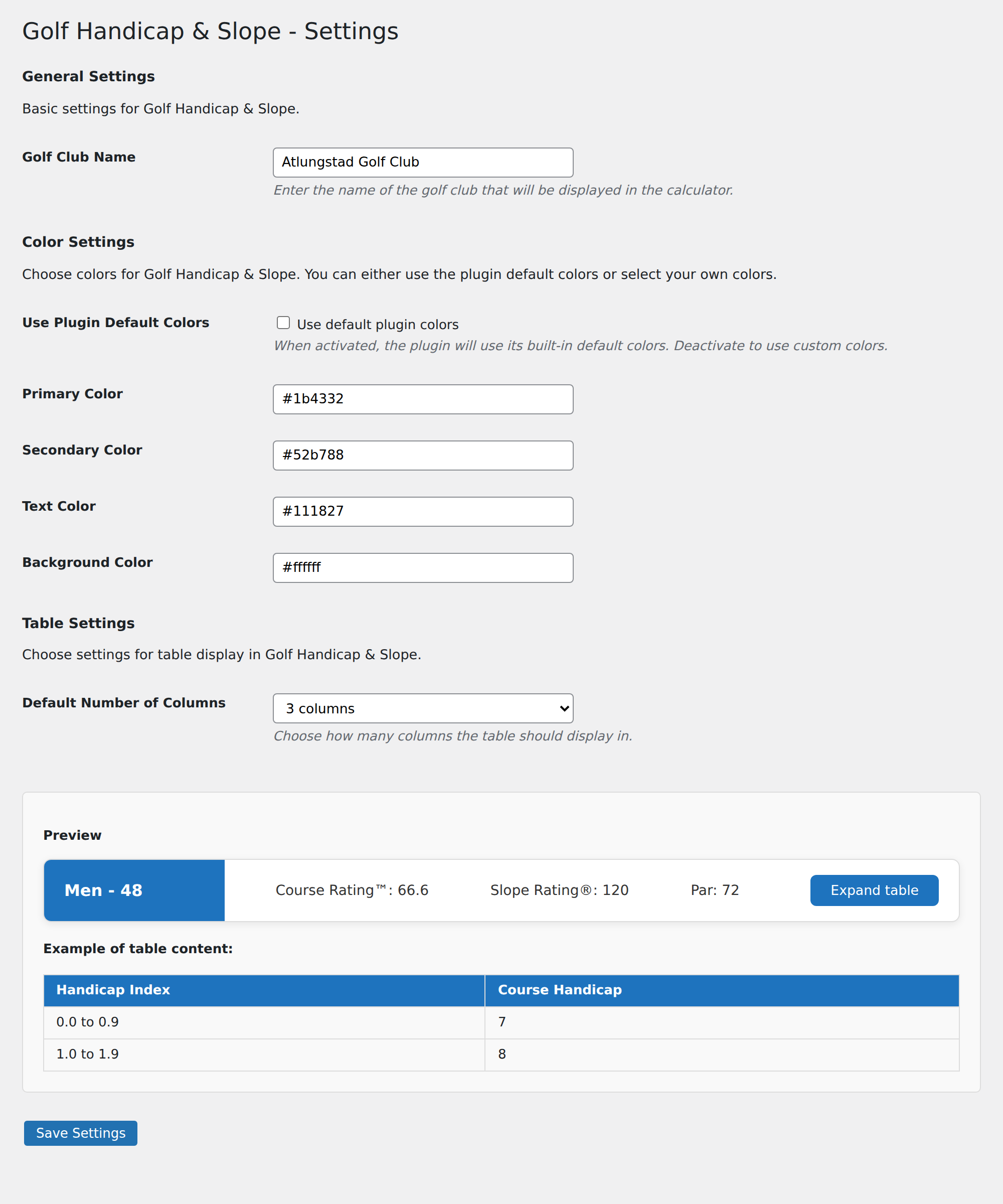
Customize colors and appearance to match your WordPress site.
- Go to "Golf Handicap & Slope" > "Settings"
- Choose whether to use the plugin's default colors or custom colors
- Customize primary color, secondary color, text color, and background color
- Set the default number of columns for table display
- Set the golf club's name
- Click on "Save changes"
5Use Shortcodes
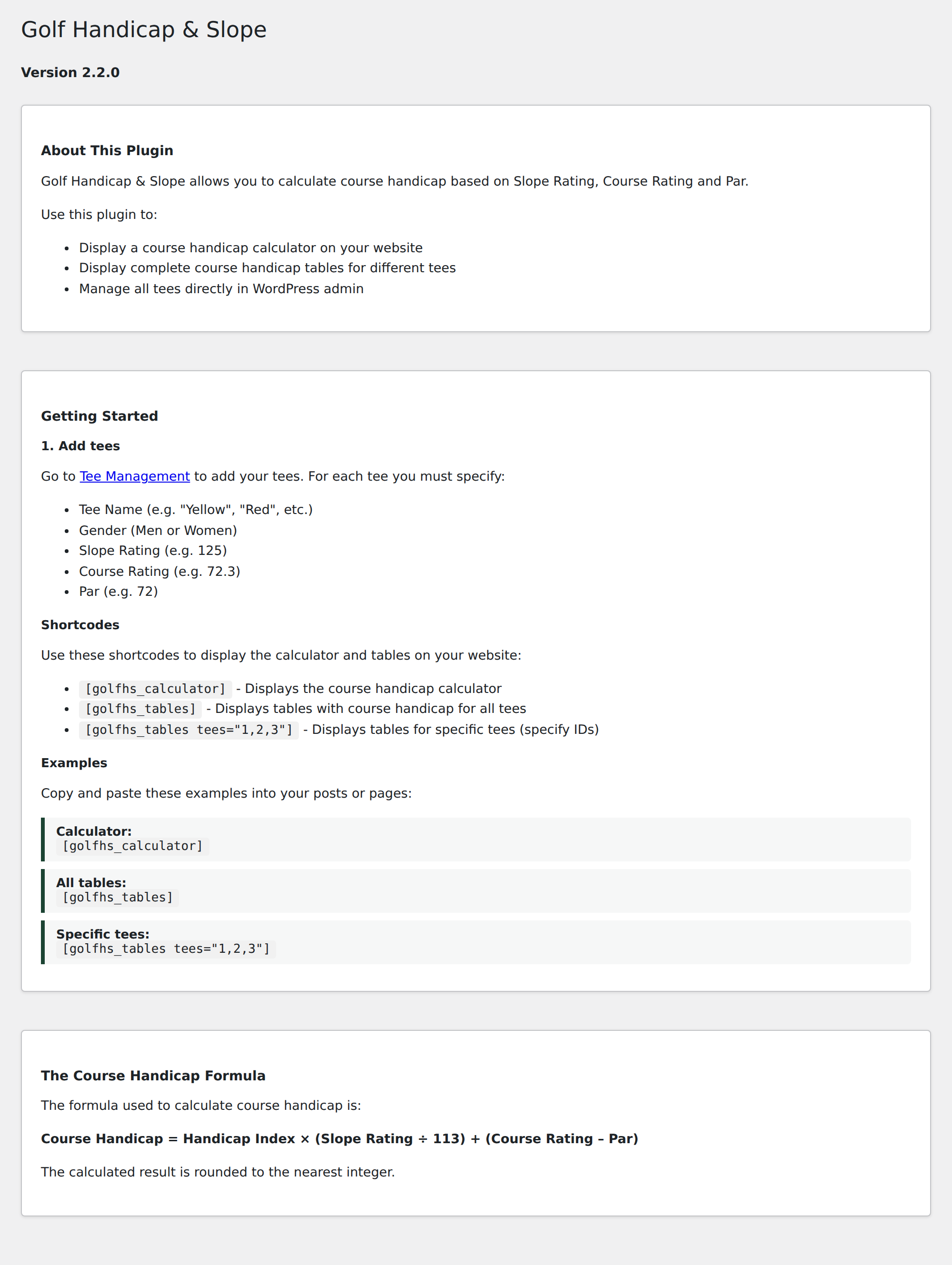
Use simple shortcodes to display the calculator and tables anywhere on your website.
[golfhs_calculator]- Displays the course handicap calculator[golfhs_tables]- Displays tables with the course handicap for all tees[golfhs_tables tees="1,2,3"]- Displays tables for specific tees (specify IDs)
You can add these shortcodes to pages, posts, or widgets.
The Course Handicap Formula
Golf Handicap & Slope uses the official World Handicap System (WHS) formula to calculate course handicap:
Course Handicap = (Handicap Index × Slope Rating ÷ 113) + (Course Rating – Par)
The result is rounded to the nearest whole number.
Plus handicaps (players better than scratch) are shown with their natural sign, and the calculator always agrees with the handicap tables.
More Information
Get the Plugin
Golf Handicap & Slope is free and available in the official WordPress plugin directory.
Requires WordPress 5.6+ and PHP 7.0+.
Changelog
Version 2.2.1
- Internationalization improvements for the result texts
Version 2.2.0
- Correct plus-handicap handling: results show the natural +/− sign with a colour hint
- Calculator and tables always match
- Code cleanup and WordPress compatibility updates
Version 2.1.0
- Added translations for all texts
- Improved mobile view for tables
- Fixed bug with sorting of tees
Version 2.0.0
- Updated to match the World Handicap System (WHS)
- Added Course Rating and Par to the formula
- Redesigned user interface and added customization options
License
Golf Handicap & Slope is released under the GPL v2 or later license.
This means you are free to:
- Use the plugin on any number of sites
- Modify the plugin for your own use
- Distribute the plugin
For more information, see the GNU General Public License.
More tools from Gudjonsson
Gudjons Turneringer for Golfbox
Show Golfbox tournaments directly on your club's WordPress site — free plugin.
Frequently Asked Questions
What is the difference between Handicap Index and Course Handicap?
The Handicap Index is a golfer's portable handicap that represents their playing ability. The Course Handicap is the number of strokes a player receives on a specific set of tees on a specific golf course, calculated from the Slope Rating, Course Rating, and Par.
How do I find the Slope Rating and Course Rating for my golf course?
Slope Rating and Course Rating are usually shown on the scorecard of the golf course. You can also find this information on your national golf association's website or by contacting the golf club directly.
Is this plugin compatible with the World Handicap System (WHS)?
Yes. The plugin uses the official WHS formula to calculate course handicap: (Handicap Index × Slope Rating ÷ 113) + (Course Rating – Par), rounded to the nearest whole number.
Can I customize the colors to match my website?
Yes, you can customize the primary color, secondary color, text color, and background color in the plugin settings.
Where can I download the plugin?
Golf Handicap & Slope is free in the official WordPress plugin directory: wordpress.org/plugins/golf-handicap-slope. You can also install it directly from your WordPress dashboard under Plugins > Add New.